Answer instantly
No voicemail. No waiting. No cold leads.
 AI receptionist for service businesses
24/7 revenue capture
Revitalize answers calls, qualifies leads, books appointments, and follows up before a competitor wins the customer.
“I can help get that scheduled. What address needs service?”
No voicemail. No waiting. No cold leads.
Service, urgency, location, and contact details captured.
Good leads move to the calendar or the right person.
Missed-call recovery
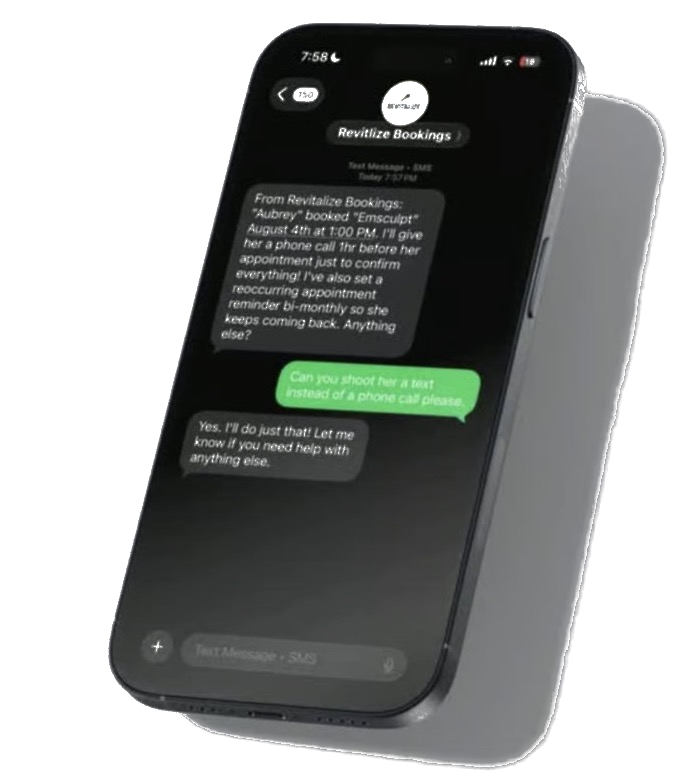
Text-back, reminders, confirmations, and owner alerts keep revenue moving after the first call.
Revenue capture for service businesses
Revitalize Bookings answers every call, qualifies every lead, books appointments instantly, follows up automatically, and helps service businesses capture more revenue without hiring another receptionist.
"I can help schedule that. What address needs service?"
Built for your business
The revenue path
Revitalize answers, qualifies, schedules, confirms, and notifies your team so more paying customers make it onto the calendar.
How it works
Every caller gets a professional response instead of voicemail.
Know who is ready to buy before your team picks up.
Qualified customers go directly onto the right calendar.
Missed calls and unbooked leads get followed up before competitors win them.
Call handling
Revitalize picks up, understands the request, and moves the customer toward a booked appointment.
If a call is missed, the customer still gets a response while intent is high.
Capture service type, location, urgency, and contact details before the handoff.
Qualified customers move into your booking flow without manual chasing.
Dashboard preview
HVAC repair lead routed to dispatcher
Med spa consultation booked
Roofing estimate awaiting photo
Integrations
Follow-up automation
Speed wins service jobs. Revitalize responds, reminds, confirms, and escalates so fewer leads disappear.
Proof placeholders
Add real numbers for missed-call recovery, bookings, and response speed as soon as they are verified.
Use real anonymized call examples to show how the receptionist qualifies and books customers.
Designed to be populated with verified customers, industries, and direct quotes.
Missed calls are not admin problems. They are revenue leaks.
Conversion principleThe business that responds first usually gets the conversation.
Speed-to-lead principlePricing
Every implementation is customized based on your call volume, locations, calendars, routing rules, and follow-up workflows.
Most implementations include:
FAQ
Yes. Calls can be routed or escalated based on urgency, service type, location, or your team's rules.
Yes. After-hours coverage is one of the highest-value use cases because those calls often go to voicemail today.
Yes. The implementation can connect booked leads and call details to your CRM or workflow tools when supported.
Yes. The system is built so multiple callers can be handled without forcing new leads to wait on hold.
Setup depends on call volume, calendars, routing rules, integrations, and how customized the intake flow needs to be.
Yes. Scripts, qualification questions, escalation rules, and booking paths are tailored to your business.
Stop missing calls